Page 1 of 1
Crapload of warning labels
Posted: Wed Jun 11, 2008 12:26 pm
by blind909
http://img33.picoodle.com/img/img33/4/6 ... 5a193f.jpg
Here is a crapload of labels I made for you to enjoy. They are great on minis. Just click on the link, then when you see the picture, right click and select save picture as, then open it on Microsoft paint, or Microsoft word, and print.
Posted: Wed Jun 11, 2008 12:37 pm
by Hailfire753
Sorry to burst your bubble,
but...
Nice labels though! Also, "18+" ?! Most of the members here are not "18+" If I remember right.
Posted: Wed Jun 11, 2008 12:45 pm
by blind909
Hailfire753 wrote:Sorry to burst your bubble,
but...
Nice labels though! Also, "18+" ?! Most of the members here are not "18+" If I remember right.
How did you hyperlink the but... to the website?, and I know about the site, but it doesnt work with my cpu, so just incase, I posted some here.
P.S., About the 18+ thing, I know, I just put that down.
Posted: Wed Jun 11, 2008 12:56 pm
by THUNDERLORD
Thanks for taking the time for that blind909 and Hailfire753.
If you want to see how he linked that click QUOTE and format your link that way. You can preview it to make sure you've done it right.
Cool Labels. 8)
Posted: Wed Jun 11, 2008 1:58 pm
by jimmy101
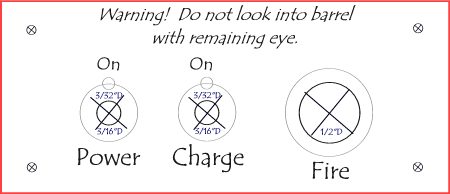
The button and warning label for my coil gun;
Posted: Wed Jun 11, 2008 2:05 pm
by daxspudder
You did a good job, you should give urself a pat on the back.
Posted: Wed Jun 11, 2008 2:09 pm
by starman
Your efforts are appreciated here but those are pretty useless to actually print on real labels....the alignment is off badly. The graphic is really low res and the messages are too narrowly scoped for wide scale use.
In any case, a picture of a sheet of labels isn't how you would produce and transmit these things. Go to the Warning Label Generator in Hailfire's post.
Posted: Wed Jun 11, 2008 2:26 pm
by starman
blind909 wrote:How did you hyperlink the but... to the website?, and I know about the site, but it doesnt work with my cpu, so just incase, I posted some here.
First off, open another browser window and actually go to the site you wish to link to. When you are there, highlight its address and copy it to the clipboard with mouse right-click, choose copy (assuming Windows of course).
Then go back to editing your post, highlight the text you want to make a link...click the
URL button. You will see the url tags appear before and after the text you highlighted. Put your cursor directly after the "L" in the beginning "URL" and add an = sign. Now directly after the = sign, just paste the link you copied in....should look like [url=
http://www.blahblah. The closing bracket will be shifted out beyond the end of the link you copied in. It will look like crap, but will work great.
That's it. Be sure you leave everything else in place between the URL tags. Also, as Thunderlord said, you can always quote someones post in the editor and see how something is done.
Posted: Wed Jun 11, 2008 2:37 pm
by blind909
Ok, thanks starman, and with the labels, you just print them out, then cut them, put some adhesive glue on the back, stick to gun, then spray clearcote over it.
Posted: Wed Jun 11, 2008 3:04 pm
by starman
blind909 wrote:Ok, thanks starman, and with the labels, you just print them out, then cut them, put some adhesive glue on the back, stick to gun, then spray clearcote over it.
Well obviously. There are better ways though....this is the third grade method.
