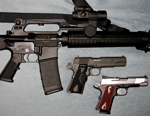
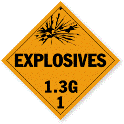
PIctures
-
dudeman508

- Specialist 2

- Posts: 237
- Joined: Thu Jul 03, 2008 9:19 pm
I cant figure out how to add a picture next to my name. Do you have to buy the privilege at the spud store?


Umm... No?
Profile -> Avatar Control Panel (scroll down to find it) -> upload your pic etc
Profile -> Avatar Control Panel (scroll down to find it) -> upload your pic etc
-
dudeman508
- Specialist 2
- Posts: 237
- Joined: Thu Jul 03, 2008 9:19 pm
you mean where it says user atachment control pannel
-
MrCrowley

- Moderator

- Posts: 10078
- Joined: Fri Jun 23, 2006 10:42 pm
- Location: Auckland, New Zealand
- Been thanked: 3 times
Go to your profile, scroll to the very bottom and where it says "Upload Avatar from your machine" click the 'Browse' button and find a picture from your computer.
Make sure to read all the fine print such as dimension, file size and file format (e.g jpg) limitations.
Make sure to read all the fine print such as dimension, file size and file format (e.g jpg) limitations.
-
dudeman508
- Specialist 2
- Posts: 237
- Joined: Thu Jul 03, 2008 9:19 pm
ok thanks guys i was going to the wrong profile...
Create an account or sign in to join the discussion
You need to be a member in order to post a reply
Create an account
Not a member? register to join our community
Members can start their own topics & subscribe to topics
It’s free and only takes a minute
Sign in
-
- Similar Topics
- Replies
- Views
- Last post
-
- 8 Replies
- 3271 Views
-
Last post by Scope
-
- 2 Replies
- 2692 Views
-
Last post by MrCrowley
-
- 3 Replies
- 1777 Views
-
Last post by Pete Zaria
-
- 17 Replies
- 7127 Views
-
Last post by chaos
-
- 8 Replies
- 5517 Views
-
Last post by PCGUY